Member newsletter · November 2026 · 1 November edition
Touch comes to the Mac, and a foldable lands in the wild.
Apple shipped more than 25 products in two months, and John Ternus’s third launch as CEO ended with the first touchscreen MacBook Pro. We’ve sorted the October announcements worth your time, a short note on updating, and picks to watch, read and try. Settle in with a coffee, then bring your discoveries to the Pi.
About 6 minutes to read
What’s going on at Apple
The first touchscreen Mac arrives
28 October 2026
Apple’s new MacBook Pro with a PROLED XDR display is the first Mac with an OLED screen and touch support. It comes in 14 and 16 inches, borrows the Dynamic Island from iPhone, and brings back the glowing Apple logo on the lid. Touch works alongside the keyboard and trackpad. It still uses the M5 Pro and M5 Max chips announced earlier this year, and it carries a $400 premium over comparable mini-LED models, which remain on sale. 14-inch from $2,899 16-inch from $3,399 Ships 6 Nov
M6 arrives in the iMac and the 14-inch MacBook Pro
27 October 2026
Apple’s new M6 chip debuts in the 24-inch iMac and the entry 14-inch MacBook Pro. Apple says the iMac delivers up to twice the graphics performance of the M4 model, with Wi-Fi 7 and an optional 2.5 Gb Ethernet port, and quotes up to 24 hours of battery life for the MacBook Pro. Little else changes, so the iMac keeps its familiar design and colors. Chip M6 Ships 6 Nov
The new iPad mini has an 8.5-inch OLED display, an A20 Pro chip and an IP67 rating, which makes it Apple’s first water-resistant iPad. It is just 5.4 mm thick, offers nano-texture glass on select models, and stays without ProMotion, so the screen does not go to a high refresh rate. From $699 Ships 6 Nov
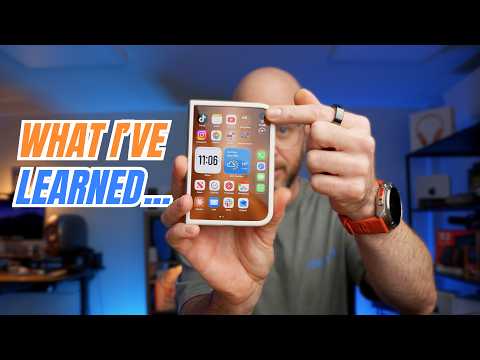
Apple’s first foldable went on sale on 23 October, opening like a book with a 7.6- inch inner display and a 5.4-inch outer screen. Supply is tight. Apple told MacRumors that a small number of units are affected by reports of display cracking, so if you are thinking of buying one, read recent reviews first. From $1,999 (256GB) Colors Star White, Night Sky
iOS 27.2 and the matching iPadOS, macOS, watchOS and tvOS updates are available. Because iOS 27.1 shipped only for iPhone Duo, everyone else moves straight from 27.0.1 to 27.2. Siri AI adds Spanish, French, Japanese, Korean and Portuguese. Messages gains suggested actions, Apple TV adds user profiles, and Apple Podcasts changes how its queue works. The update also carries more than 160 security fixes, and Apple says an iOS 27.3 beta is due this week.
HomeView is a 7-inch display with an A18 chip and Siri AI, sold in tabletop and wall-mounted versions at the same price. HomePod mini 2 went on sale on 30 October, and a new Apple TV 4K was announced at the same event. HomeView $299 Ships 13 Nov HomePod mini 2 $149
November’s Apple Creator Studio update adds Generate Fill to Pixelmator Pro, MotionVFX effects and templates to Final Cut Pro, and drum isolation to Logic Pro. New assistants in Keynote, Pages and Numbers arrive as betas, for now in US English only. Current subscribers receive the update free on the App Store.
What have you tried since the latest updates? Bring a useful setting, a question, or a before-and-after photo to a Pi conversation. You don’t need to be an expert to share something that helps another member, and a good question is often the best contribution.
Apple Executives Explain Why the MacBook Pro Finally Has a Touch Screen
MacRumors reports on Apple’s explanation for bringing touch to the MacBook Pro after years of keeping the Mac and iPad distinct. In an interview with Wired, John Ternus describes touch as an occasional convenience alongside the keyboard and trackpad. Apple’s argument is that the technology finally allowed it to add that option without compromising the laptop’s thickness or weight.
The article also covers the practical engineering behind the change: a stronger hinge to steady the display during taps, thermal changes to keep it comfortable to touch, and a coating intended to reduce reflections. Apple’s executives point to professional demand and younger creators who already expect touch. For Pi readers, it raises a useful question: which tasks would actually benefit from reaching for the screen, and which still feel better with a pointer?
Tim Hardwick’s guide looks beyond the update notification to explain fourteen changes in iOS 27.2. Much of the attention goes to Siri AI: recalling earlier conversations, drawing on more personal context, supporting additional languages, and letting users copy only the relevant part of a reply. A consolidated Excluded Apps setting also gives users a clearer way to manage which apps Siri and Search can access.
The smaller changes may prove just as useful day to day. Messages can suggest actions such as creating an event or reminder; Shared Albums gain improvements for comments, duplicates and expiry reminders; and Apple TV adds household profiles. The guide also covers AI-image identification and simultaneous front-and-rear-camera video in group FaceTime calls on compatible devices. Feature availability depends on hardware and region, so use the article as a checklist: choose one useful change, check support for your device, and try it before moving on.
MKBHD says Apple’s new $300 HomeView is a skip for most people
Dexerto summarises Marques Brownlee’s early hands-on assessment of HomeView, balancing its useful ideas against its price. He likes the seven-inch display and the way facial recognition can switch between household members, giving each person access to their own information. Integration with the iPhone also makes it convenient to move music or a FaceTime call to the hub.
His reservations centre on value and flexibility. The report highlights the absence of third-party apps, personalised voice recognition and a built-in battery. It also questions why the wall-mounted version costs the same as the tabletop model despite losing the subwoofer, while mounting adapters add to the bill. For members already using smart-home displays, the useful comparison is the complete setup cost and the everyday tasks HomeView would improve. Read this as an early opinion rather than a final verdict on long-term ownership.
Apple Announces Touchscreen OLED MacBook Pro, iPad Mini 8, and More! The week’s announcements discussed in one sitting, handy if you missed the three days of press releases. Listen on YouTube ↗
A menu-bar utility that helps explain what your USB-C connection can do: reported cable speed, charging capability and display support. Useful when a charger seems slow or a dock is not delivering the performance you expect. The free app supports Apple Silicon Macs running macOS 14 or later; optional Pro tools provide deeper diagnostics.
Explore the app ↗
Film(ish) · iPhone & iPad
Give digital photos and videos an analogue character with film simulations, grain, halation and colour-grading controls. Start with a film look, then adjust it to suit the picture. Try the same photograph with several treatments and bring your favourite to the Photos SIG. Free to download, with in-app purchases.
Explore the app ↗
Chromagraph Camera · iPhone & iPad
A camera app built around cinematographer Steve Yedlin’s approach to colour and texture. It processes raw image data with its own rendering, then lets you adjust tone, colour and texture while retaining the original files. Shoot first and review the finished look afterwards—a thoughtful alternative for members exploring iPhone photography.
Explore the app ↗
Missed a meeting? Don’t worry.
Catch up with recordings and How-To videos, then continue the conversation with other members.
Pick one thread and pull it. Install iOS 27.2 and try Siri AI in a language you are learning, read the touch-screen explanation beside the video review and decide whether Apple made the right call, or compare HomeView with the smart speaker already on your shelf. Share what you find with another Pi member. The best discussions start with someone who tried it first.

 1. iPhone Duo – Early Thoughts
An early look at Apple’s foldable iPhone. Watch it alongside the newsletter’s launch report, then consider how a folding screen would fit your own everyday use.
Watch on YouTube
 2. Apple Explains Its Biggest iPad mini Update
A closer look at the iPad mini update, with Apple explaining the changes. A useful companion to this issue’s overview before deciding whether the smaller iPad suits you.
Watch on YouTube
 3. They Designed the iPhone in 1989, Then Lost Everything
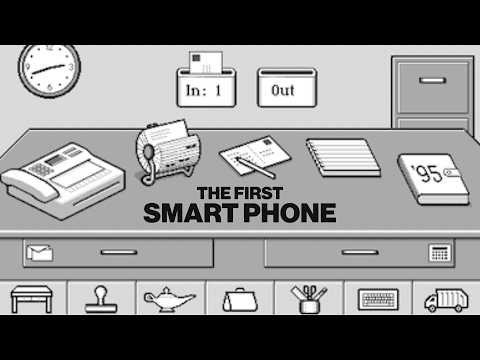
A technology-history detour about an early vision of a phone-like device and the people behind it. The link starts at 13:37; rewind to watch the complete story.
Watch on YouTube
 WhatCable · Mac
 Film(ish) · iPhone & iPad
 Chromagraph Camera · iPhone & iPad